

♥ Wishlist
Compare 48 Milwaukee Routers products in Australia. Reviews, ratings, pros, cons and buying advice updated for October 2026.


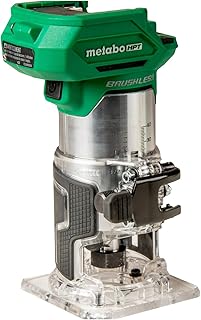


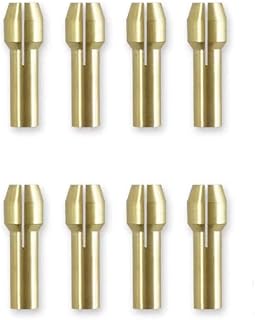


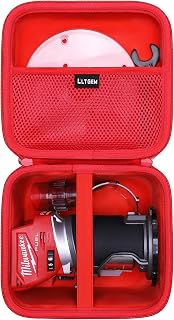


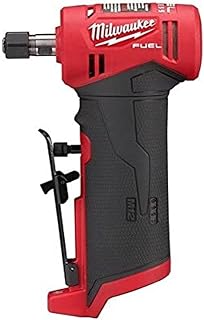


Choosing an advanced Milwaukee router is less about selecting the most powerful-looking tool and more about matching the router platform, cutting requirements, workpiece material, cutter size, depth-control system and available accessories to the work you actually perform. A router used for cabinet joinery has different priorities from one used for trimming laminate, shaping hardwood edges, cutting rebates or producing repeated profiles in a workshop.
For Australian buyers, the decision should also account for the local version of the tool, battery ecosystem, included accessories, compatible accessories, retailer support and the practical conditions in which the router will be used. Product specifications can vary between markets, so always compare the Australian specification and included equipment rather than relying on information from another region.
An advanced router typically combines precise depth adjustment, effective electronic speed control, strong visibility around the cutter, stable handling and compatibility with a useful range of routing accessories. Milwaukee's cordless power-tool ecosystem is particularly relevant to buyers who already use M18 batteries, because a compatible cordless router can reduce the need for another power-corded tool on a workbench or job site.
However, an established battery platform should not automatically determine the purchase. A router needs to suit the cutter diameter, material, cutting depth and type of operation. For demanding workshop applications, stability and control can be more important than headline power figures.
A compact router is particularly useful for edge trimming, laminate work, light joinery, small profiles and applications where manoeuvrability matters. Its smaller form factor can make it easier to control around narrow workpieces and finished edges.
For Australian DIY users, cabinet makers and tradespeople who frequently perform finishing work, a compact Milwaukee router can be a practical addition to an existing cordless tool collection. It is less appropriate when the primary requirement is repeated deep plunge routing or heavy material removal.
A plunge router is designed for operations where the cutter needs to enter the material at a controlled depth rather than beginning at the edge. Typical applications include mortising, stopped grooves, recesses, hinge work and certain joinery operations.
When comparing advanced plunge-routing solutions, pay particular attention to plunge smoothness, depth-stop adjustment, locking mechanisms, base stability and visibility of the cutting area. These features can have a greater effect on practical accuracy than simply choosing the model with the highest stated power.
Fixed-base routing is useful when a consistent cutting depth and predictable handling are priorities. A fixed base can be especially convenient for edge profiles, rabbets and other operations where the starting depth is already established.
Advanced users may prefer a fixed-base arrangement when the same profile is produced repeatedly because repeatability and quick setup can be more valuable than maximum versatility.
A router system that supports more than one base can provide greater flexibility for users who alternate between edge trimming and plunge applications. This approach can reduce the need to maintain multiple dedicated routers, provided the available base configuration meets the user's requirements.
Before choosing a multi-base solution, check exactly which bases, collets, guides and adjustment components are included. A product photograph should not be treated as proof that every pictured accessory forms part of the package.
Motor performance matters, but raw power is only one part of router performance. The useful question is whether the router can maintain controlled cutting performance with the bit diameter and material being used.
Hardwood, engineered panels and large-diameter cutters can place substantially different demands on a router. A compact router that performs well for edge trimming should not automatically be considered suitable for aggressive stock removal.
Look at the manufacturer's stated operating limitations and recommended cutter sizes. Follow the router-bit manufacturer's requirements as well, particularly when working with larger cutters or demanding materials.
Variable-speed control can make a router considerably more versatile. Different cutter diameters and materials can require different operating speeds, and the appropriate setting can help maintain control and reduce the risk of producing a poor finish.
When comparing routers, distinguish between simply having multiple speed settings and having an electronic system designed to maintain consistent performance under load. The latter can be particularly useful when cutting denser materials.
Soft-start behaviour can make a router easier to control when the motor begins operating. A sudden start can cause an abrupt movement that is undesirable when working close to an edge or when maintaining a carefully positioned cut.
For precision work, controlled start-up should be considered alongside grip design, base stability and depth adjustment rather than viewed as an isolated feature.
Depth adjustment is one of the most important features for precision routing. A good adjustment system should allow the user to establish the required cutting depth accurately and lock the router securely before beginning the cut.
For repetitive woodworking, the ability to reproduce the same depth consistently is particularly valuable. Buyers should examine how the adjustment mechanism works, how the lock operates and whether the design makes fine adjustments practical.
Collet compatibility determines which router bits can be used safely. Do not assume that every router accepts every common router-bit shank size.
Australian buyers should check the exact metric or imperial specifications supplied for the Australian model. The required collet may also depend on the specific router configuration and market package.
For users already invested in Milwaukee's M18 platform, battery compatibility can be a major practical advantage. The value of a cordless router is not simply that it eliminates a cable; it can also simplify movement around a workpiece and reduce cable-management issues in busy workshop or job-site environments.
Battery selection should nevertheless be based on the router's requirements and the work being performed. A battery that feels convenient for short trimming tasks may not provide the same balance or runtime characteristics as a larger pack during extended work.
A larger battery can affect the overall balance of a compact router. For detailed edge work, an unnecessarily large battery may make the tool feel less nimble, while longer routing sessions may benefit from a battery that provides an appropriate balance between runtime and handling.
When comparing cordless routers, consider the complete tool-and-battery combination rather than evaluating the bare tool alone.
If you already own compatible Milwaukee batteries and chargers, a cordless Milwaukee router may have a different overall value proposition than a tool that requires a completely separate battery platform. If you do not already own the relevant platform, include the battery and charger cost when comparing alternatives.
The router itself is only one component of a routing system. Cutter geometry, diameter, cutting edge quality and suitability for the material can have a major effect on the finished result.
Common router-bit profiles include straight bits, flush-trim bits, round-over bits, chamfer bits, rabbeting bits, cove bits and pattern-following cutters. Each has a specific purpose, and the correct bit should be selected according to the intended cut rather than simply choosing a larger or more expensive cutter.
Carbide cutting edges are widely used for woodworking because they can provide durable cutting performance when used correctly. Quality varies considerably between bits, so buyers should consider the reputation of the accessory manufacturer as well as the router itself.
Brands such as Bosch, Makita, Freud and Diablo offer router accessories in various configurations, giving buyers useful alternatives when comparing cutter options.
Larger cutters generally require greater care because the cutting edge travels at a different peripheral speed than a smaller cutter at the same spindle speed. Always follow the router and cutter manufacturer's speed recommendations.
Do not select a large-diameter bit simply because it appears capable of removing material faster. The router, collet, cutter and workpiece must all be suitable for the operation.
Routing can produce substantial quantities of chips and fine dust, particularly when working with MDF, particleboard and some engineered wood products. Effective dust collection can improve visibility around the cutting area and help keep the workspace cleaner.
When comparing advanced router systems, inspect the available dust-extraction provisions and consider how they integrate with your existing vacuum or extraction equipment. Compatibility with a workshop dust-management system can be more useful than a feature that is rarely used.
Dust control should never replace appropriate respiratory protection or other safety measures where the material and working environment require them. Always follow the material manufacturer's and tool manufacturer's safety guidance.
Router control depends heavily on how comfortably and securely the tool can be held. Grip shape, trigger or switch placement, weight distribution and the position of the battery can influence how naturally the router moves across the workpiece.
For detailed routing, a tool that is easy to position precisely may be preferable to one that is heavier or more powerful but difficult to control. For prolonged production work, vibration, grip fatigue and repeated adjustment can also influence productivity.
Precision routing is often determined by setup quality rather than the router alone. A stable base, accurate depth setting, suitable guide and properly secured workpiece can make a significant difference to the final result.
An edge guide helps maintain a consistent distance from the edge of the workpiece. It can be useful for grooves, rebates and other straight routing operations where a repeatable offset is required.
Template routing allows the cutter or guide system to follow a predetermined shape. This can be valuable for repeated components, cabinet parts and shaped woodworking projects.
Check whether the router accepts the required guide bushings or template accessories before buying. Compatibility between the router base and the accessory system should be confirmed from manufacturer documentation.
A router table can turn a handheld router into a more stationary cutting system for suitable operations. It can be useful for repeatable edge profiles and certain joinery applications, but not every router is designed or approved for every router-table setup.
Never assume a router can be mounted to a particular table simply because the physical dimensions appear compatible. Verify the manufacturer's compatibility requirements and mounting instructions.
Milwaukee is a particularly relevant option for buyers who value cordless tools and already use the brand's compatible battery ecosystem. However, an independent buying guide should compare the entire category rather than assuming one manufacturer is best for every application.
Makita has a broad woodworking-tool range and a well-established cordless ecosystem. The more appropriate choice depends on the router configuration, existing batteries, accessory compatibility, ergonomics and the type of routing work being performed.
Bosch offers a broad range of woodworking and routing equipment, including systems aimed at precision applications. Buyers who prioritise corded workshop tools, specialised bases or a particular accessory ecosystem may find Bosch worth comparing alongside Milwaukee.
DeWalt is another major cordless power-tool brand with a broad battery platform. For cordless buyers, the choice often comes down to the battery ecosystem already owned, router configuration, accessories, ergonomics and the Australian specifications of the particular model.
Festool occupies a strong position in premium woodworking systems and is particularly associated with integrated workshop workflows and precision accessories. It can be worth considering when dust extraction, system integration and specialist woodworking functionality are higher priorities than maintaining a particular cordless ecosystem.
A high-power specification does not automatically mean that a router is the best choice. Control, depth adjustment, cutter compatibility, ergonomics and application suitability all matter.
The advertised tool price may not represent the cost of ownership if the package requires a battery, charger, additional base, guide, collets or specialised accessories.
Images and descriptions can sometimes show accessories separately from the exact package being purchased. Always check the Australian product listing and manufacturer's specifications for the included components.
Compact routers are excellent for many trimming and light-profile applications, but their small size does not make them a substitute for every full-size routing application. Match the tool to the cutter and depth of cut.
The opposite mistake is also possible. A large router can be unnecessary for occasional laminate trimming or small edge profiles. Extra size and weight can make detailed work less comfortable.
Before purchasing, identify the router bits you expect to use and confirm their shank size, diameter and operating requirements.
If a buying guide presents ten Milwaukee router solutions, the most useful comparison is not simply a ranking from one to ten. Buyers should evaluate each option against the same criteria so that differences become meaningful.
A compact and easy-to-control router may be the most practical choice for general home woodworking. If projects are varied, versatility and accessory compatibility may be more valuable than maximum cutting capacity.
Cabinet work often involves repeated grooves, rebates, edge profiles and trimming operations. Precision, repeatability, guide compatibility and efficient depth adjustment should therefore receive particular attention.
Joinery applications can require controlled depth and accurate positioning. A plunge configuration may be preferable where the cutter must enter the material away from an open edge.
Portability and manoeuvrability can be especially important for tradespeople who use routers on different jobs. A cordless compact Milwaukee router may be attractive where compatible batteries are already part of the tool kit.
Users performing repetitive routing should prioritise repeatability, comfortable handling, efficient setup and compatibility with guides, templates or router-table systems where appropriate.
Hardwoods can require careful speed selection, sharp cutters and controlled feed rates. The appropriate router configuration depends on the cutter size and the depth and type of cut.
Softwoods can be easier to machine but may produce tear-out around knots or when an unsuitable feed direction is used. Cutter sharpness and controlled movement remain important.
MDF can produce a large amount of fine dust during routing. Dust extraction and appropriate respiratory protection are especially important considerations when working with this material.
Plywood routing can expose multiple layers with different grain orientations. A sharp, suitable cutter and controlled feed can help achieve a cleaner result.
Trimming laminated or veneered materials requires particular attention to cutter selection and direction of travel because the finished surface can be damaged by tear-out or an unsuitable bit.
Advanced router features do not eliminate the need for safe operating practices. A router is a high-speed cutting tool and should be treated accordingly.
Clean routing results depend on the relationship between the router, cutter, workpiece and feed technique. A sharp cutter should be selected for the material and operation, while the router should be set to an appropriate speed.
Taking several controlled passes can be preferable to attempting to remove a large amount of material in a single operation. The correct number of passes depends on the material, cutter and manufacturer's guidance.
Workpiece support is also important. Movement during a cut can ruin accuracy and create a safety hazard, so clamps and appropriate supporting surfaces should be used whenever required.
Regular maintenance helps keep a router ready for accurate work. Follow the manufacturer's maintenance instructions rather than applying generic procedures that could damage the tool.
Customer reviews can be useful, but they should be treated as one source of buying information rather than definitive proof that a router is suitable for every application. A useful review should explain what the buyer used the router for, which accessories were used and what limitations were encountered.
Look for recurring observations across a large number of relevant reviews rather than relying on one exceptionally positive or negative comment. Also distinguish comments about the tool itself from complaints involving batteries, shipping, packaging or accessories that are not part of the core router.
For technical decisions, manufacturer specifications and operating instructions should take priority over anecdotal claims.
Australian buyers should verify the exact local model, package contents and electrical or battery configuration before purchasing. International product pages can use different model numbers, included accessories or specifications, so information from another market should not automatically be applied to an Australian listing.
It is also sensible to compare several reputable Australian retailers and review the current product specification before making a purchase. Prices, bundles, stock status and included accessories can change, so a buying guide should be used to narrow the choice rather than treated as a permanent price list.
Not every premium feature provides equal value. Buyers should spend more when a feature directly improves the type of work they perform.
Some features can sound impressive but have limited practical value if they do not match your workflow. A professional-grade router system can be unnecessary for someone who only trims occasional laminate edges, while a compact model may be frustrating for someone who routinely performs deep joinery operations.
The right buying decision therefore starts with the workpiece and application. Identify the cuts you perform most often, then select the router configuration that handles those tasks safely and comfortably.
The best Milwaukee router depends on the woodworking application. A compact model can be suitable for trimming and edge profiling, while plunge-oriented work may call for a different configuration. Compare the required cutter size, cutting depth, base design, battery setup and accessories before deciding.
Cordless routers can be suitable for professional applications when the specific tool, cutter, battery and operating conditions match the work. Professional suitability should be assessed from the manufacturer's specifications and the demands of the job rather than from the cordless design alone.
A compact router can be used for suitable hardwood applications when the cutter, depth of cut, speed and feed rate are within the manufacturer's recommendations. Heavy material removal may require a different router configuration.
If you already own compatible batteries and a charger, a bare tool may be more practical. If you are entering the battery platform, compare the complete kit cost with the cost of purchasing the components separately.
For general woodworking, a useful starting selection can include straight, flush-trim, round-over and chamfer bits, provided their sizes and shanks are compatible with the chosen router. Select bits according to your projects rather than buying a large assortment that you may rarely use.
No. Cutter diameter, spindle speed, material, cutting depth and feed rate all interact. Larger cutters also require attention to manufacturer-specified speed limits and safe operating practices.
Only use a router-table configuration when the specific router and mounting system are designed or approved for that application. Verify compatibility and follow the manufacturer's installation and safety instructions.
Variable speed can be useful because different cutter sizes and materials may require different operating speeds. Its value is greatest for users who regularly perform a variety of routing operations.
Prioritise the Australian model specification, router type, battery compatibility, collet configuration, depth adjustment, speed control, base stability, accessories, dust management and the actual cutting tasks you need to perform.
There is no universal winner. Milwaukee can be particularly attractive to users already invested in its cordless ecosystem, while Makita, Bosch and DeWalt offer their own combinations of router designs, accessories and battery systems. Compare the specific models rather than judging entire brands as interchangeable.
The strongest Milwaukee router choice is the one that fits your cutting requirements, not necessarily the newest, largest or most expensive option. Start with the jobs you need to complete, identify the router configuration that handles those jobs, and then compare depth adjustment, speed control, cutter compatibility, ergonomics, accessories and battery requirements.
For Australian buyers in 2026, verify the exact local specification before purchasing because model configurations, bundles and retailer offerings can change. Compare current specifications, customer feedback and total setup costs, and consider reputable alternatives when they better match your workflow.
Whether your priority is cabinet making, trimming, joinery, edge profiling, template routing or general workshop woodworking, a careful comparison can help you choose a Milwaukee router system that provides the right balance of control, versatility and practicality for your projects.